How to Ace a Video Job Interview and Get Hired Fast
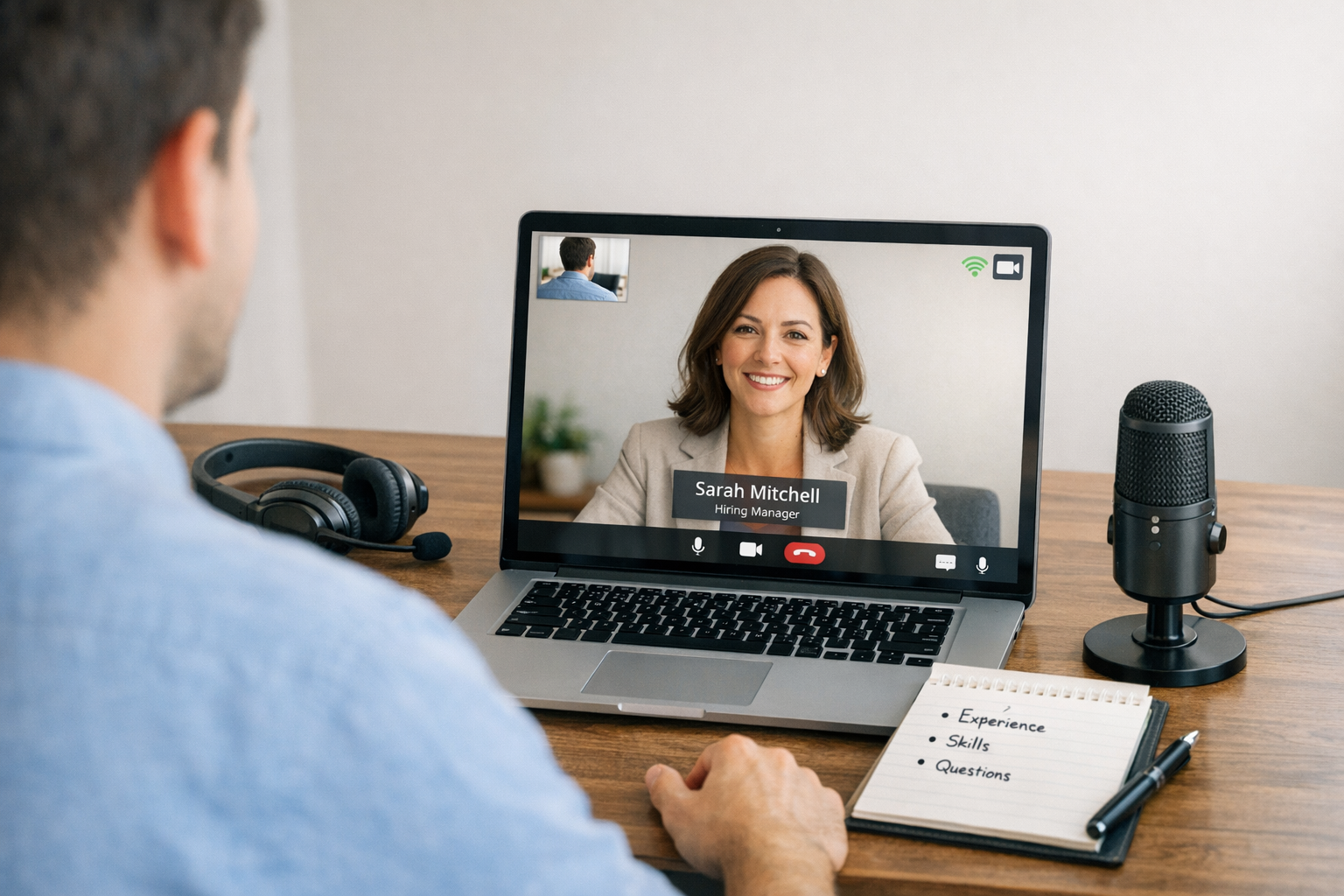
Video interviews punish the unprepared
Video interviews are not “just an interview, but online”. They are a different test.
In person, you can win people over with presence, small talk, and energy. On video, you are a tiny rectangle competing with notifications, lag, bad lighting, and a hiring manager who has already watched six other tiny rectangles today.
Most candidates fail for boring reasons.
- Bad audio
- Messy background
- Rambling answers
- Looking like they are reading
- Turning up unprepared and hoping personality will carry them
It will not.
This guide is a practical system to ace a video job interview, especially if you are early in your career and every interview feels high stakes. You will learn how to set up your environment, speak with authority, handle common questions, and avoid the small mistakes that quietly kill offers.
If you do the basics brilliantly, you will beat most applicants.
Because most applicants do not.
What hiring managers are really judging on video
They are not only assessing whether you can do the job.
They are assessing whether you can function in a modern workplace.
A video interview is a proxy for:
- Communication clarity under pressure
- Digital professionalism
- Preparation and self-management
- How you show up when nobody is physically watching
Here is the brutally honest truth.
When your audio cuts out, your background is chaos, and your answers are vague, the employer does not think “unlucky”. They think “risk”.
Your goal is to look low-risk and high-signal.
High-signal means:
- You answer directly
- You prove claims with evidence
- You make it easy for them to imagine you doing the job
Low-risk means:
- You show up on time
- Your tech works
- You stay calm when something goes wrong
The non-negotiable tech checklist (do this 24 hours before)
Do not treat the tech as “admin”. It is part of the interview.
Here is the checklist that eliminates 90 percent of avoidable failures.
Audio first, always
If they cannot hear you clearly, nothing else matters.
- Use wired earphones or a headset if you have one. Bluetooth can glitch.
- Test your microphone in the actual platform: Zoom, Teams, Google Meet.
- Do a 30-second recording and listen back. If your voice sounds thin or far away, fix it.
- If you share a space, warn others. Put a sign on the door if needed.
Camera and framing
You do not need an expensive camera. You need correct positioning.
- Lens at eye level. Stack books under your laptop if needed.
- Frame from mid-chest to just above head. Do not sit too far back.
- Look at the lens when speaking, not the little face on screen.
- Clean the lens. It often has fingerprints.
Lighting that makes you look competent
Bad lighting makes you look tired, anxious, or disengaged.
- Face a window or a lamp in front of you.
- Never sit with a bright window behind you. You become a silhouette.
- If you only have overhead lighting, add a desk lamp at face height.
Internet stability
A “strong enough” connection is not a plan.
- If possible, use an Ethernet cable.
- If on Wi-Fi, sit close to the router.
- Ask others to stop streaming during your interview.
- Have a backup: mobile hotspot ready, fully charged.
Platform and permissions
This is where people embarrass themselves.
- Update the app the day before.
- Check camera and mic permissions.
- Rename yourself professionally: Firstname Lastname.
- Turn off filters, backgrounds, and “touch up appearance”. You want to look real.
Battery and notifications
Nothing kills credibility like a low battery warning.
- Plug in your laptop.
- Put your phone on silent and out of reach.
- Enable Do Not Disturb on your computer.
- Close everything not needed.
Your background is your credibility
Your background communicates whether you are intentional.
Do not overthink it. Control it.
Aim for:
- Plain wall, bookcase, or tidy room
- No laundry, no dishes, no personal clutter
- Nothing political, offensive, or distracting
If your space is limited, create a “clean rectangle”.
- Move a chair to face a blank wall.
- Shift a plant or lamp into view if it looks neat.
- Keep it simple.
Avoid virtual backgrounds unless you have a strong machine and perfect lighting. Glitches around your head look amateur.
What to wear (and what not to)
Dress slightly smarter than the role requires.
For most entry-level office roles:
- Plain shirt or blouse, neutral colours
- Optional blazer if it suits the role and you own one
- No loud patterns. They shimmer on camera.
- No distracting jewellery.
Even if the company is casual, do not show up looking like you rolled out of bed. You are signalling how seriously you take the opportunity.
How to prepare answers without sounding scripted
The biggest video interview failure is talking too much.
People ramble because silence feels awkward online.
Your solution is structure.
Use these three answer frameworks.
Framework A: Present, Past, Proof
Use this for “Tell me about yourself”.
- Present: who you are now in one sentence
- Past: what you have done that is relevant
- Proof: 1 or 2 results that show impact
Example: “I am a recent business graduate focused on customer service and operations. Over the last year I worked part-time in retail while leading a university project team. In both, I improved how we handled customer queries and we reduced resolution time by about 20 percent.”
Framework B: STAR, but tighter
Use this for competency questions.
- Situation: 1 sentence
- Task: 1 sentence
- Action: 2 to 4 sentences
- Result: 1 sentence with a number if possible
If you cannot quantify, specify scope.
- Bad: “It went well.”
- Good: “We delivered two days early and the client approved the final output with no rework.”
Framework C: Claim, Evidence, Relevance
Use this when you are asked about strengths.
- Claim: the strength
- Evidence: a specific example
- Relevance: why it matters to this role
If you are early in your career and lack “work examples”, use:
- Volunteering
- College projects
- Family responsibilities that show reliability
- Personal projects
- Sport or community leadership
Employers are not allergic to non-work examples. They are allergic to vague ones.
The video-specific behaviours that make you look confident
Confidence on video is different.
You need to manage your face, voice, and pace more deliberately.
Eye contact that actually works
Real eye contact means looking at the lens while you speak.
- When they ask a question, look at them on screen.
- When you answer, look at the lens for your key points.
- When they speak, return to looking at them.
It will feel unnatural. It will look confident.
Voice and pace
Lag makes people interrupt. Prevent it.
- Pause for half a second before answering.
- Speak 10 percent slower than you think you should.
- End sentences cleanly. Do not trail off.
Body language
The camera exaggerates nervous movement.
- Keep hands low, but use small gestures if natural.
- Plant both feet.
- Sit forward slightly. It communicates engagement.
- Do not swivel in a chair.
Stop the “active listening theatre”
Aggressive nodding looks odd on video.
Instead:
- Keep a neutral, attentive face.
- Use short verbal acknowledgements: “Understood”, “That makes sense.”
The questions you will get, and how to win them
You do not need perfect answers. You need sharp ones.
Tell me about yourself
Your job is to make them think: “Yes, this is the type of person we need.”
- Keep it to 60 to 90 seconds.
- Connect your story to the role.
- End with: “That is why I am excited about this position.”
Why do you want this job
Most people give a generic answer. Do not.
Use a 3-part answer:
- Role: what you will learn and contribute
- Company: a specific detail that shows you researched
- Fit: why your strengths match
What do you know about us
You need five minutes of research, not five hours.
Check:
- Their website “About” page
- Recent news or press releases
- Their products or services
- Their values
Then give:
- One sentence on what they do
- One sentence on who they serve
- One sentence on what caught your attention
- One question that shows real interest
What is your weakness
Do not say a fake weakness. Do not overshare.
Pick a real, non-fatal weakness. Show the system you use to manage it.
Example: “I can be too detailed when I want to get things right. To manage it, I time-box tasks and agree a definition of done upfront so I do not overwork a small piece of the job.”
Tell me about a time you dealt with a difficult person
They are testing maturity.
Show:
- You stayed calm
- You clarified the issue
- You focused on solution, not blame
Why should we hire you
Answer like a business case.
Give:
- The top 2 requirements of the role
- Proof you can deliver them
- How you will ramp up fast
Example: “You need someone who can handle customers professionally and keep accurate records. I have done both in retail and in my course projects, and I am comfortable with structured work. In the first two weeks I will learn your process, document key FAQs, and ask for feedback early so I can improve quickly.”
Handling the “no experience” trap
If you are interviewing for your first job, you will feel exposed.
Here is the reframe.
You are not selling experience. You are selling readiness.
Readiness is:
- Showing up prepared
- Learning quickly
- Communicating clearly
- Being reliable
- Taking feedback without drama
Prove readiness with evidence.
Use lines like: “I have not done this exact role before, but I have done the underlying skills: prioritising tasks, dealing with people, and working to deadlines.”
Then give one short example for each skill.
That is how you turn “no experience” into “low risk”.
Your questions at the end, ranked by impact
Most candidates waste this moment.
Do not ask questions you could answer on the website.
Ask questions that reveal:
- Performance expectations
- Team culture in reality, not slogans
- How success is measured
Use 3 to 5 questions. Pick based on time.
High-impact questions:
- “What does success look like in the first 30, 60, and 90 days?”
- “What are the biggest challenges the team is facing right now?”
- “How do you give feedback here, and how often?”
- “What would make someone struggle in this role?”
- “What do you wish candidates understood before starting?”
If you want to stand out, ask one question about process.
Example: “Can you walk me through what a typical week looks like in terms of priorities and meetings?”
The moment things go wrong: how to recover without panic
Something will go wrong at some point.
The difference between a strong candidate and a weak one is not perfection. It is composure.
If audio breaks
- Say: “I cannot hear you clearly. I am going to reconnect.”
- Leave and rejoin.
- If it persists, switch to phone audio.
If your video freezes
- Keep talking for a moment, then stop.
- Say: “It looks like my connection is unstable. I will turn off video to protect audio quality.”
If you lose your place mid-answer
- Stop.
- Say: “Let me structure this.”
- Then use STAR.
This signals maturity.
The follow-up that gets remembered
Most people either do nothing or send a weak “thanks”.
Send a short follow-up email within 24 hours.
Structure:
- Thank them for their time.
- Restate your interest.
- Mention one specific topic you discussed.
- Reinforce one strength with proof.
- Close with next steps.
Example: “Thank you for the conversation today. I enjoyed learning more about how the team is improving customer response times. I am keen on the role, and I believe my experience handling high volumes of queries while staying accurate would transfer well. Please let me know if you need any additional information from me.”
If you promised anything, send it.
A promise unkept is worse than no promise.
A simple high-level implementation plan
You do not need motivation. You need a plan.
Use this timeline.
48 hours before
- Research the company and role
- Prepare 6 STAR stories
- Draft your opening pitch
24 hours before
- Run the full tech checklist
- Choose outfit and background
- Print or write your key notes
60 minutes before
- Eat and drink water
- Open the meeting link early
- Close all apps
- Warm up your voice by speaking out loud
5 minutes before
- Sit still
- Breathe
- Look at the lens
- Decide your first sentence
The final truth: you do not need to be perfect
You need to be clear.
Clear audio. Clear lighting. Clear answers. Clear evidence.
That is what makes you feel confident.
That is what makes them feel safe.
And in hiring, feeling safe is often what gets you the offer.
Next Steps
Want to learn more? Check out these articles:
Boost Your Online Interview Performance
Hybrid Interview Etiquette: Beginner’s Practical Guide
Build Confidence Before Your First Job Interview [No Fluff]
Check out our Advanced Employability Course for all the help you need to get your dream job, fast.